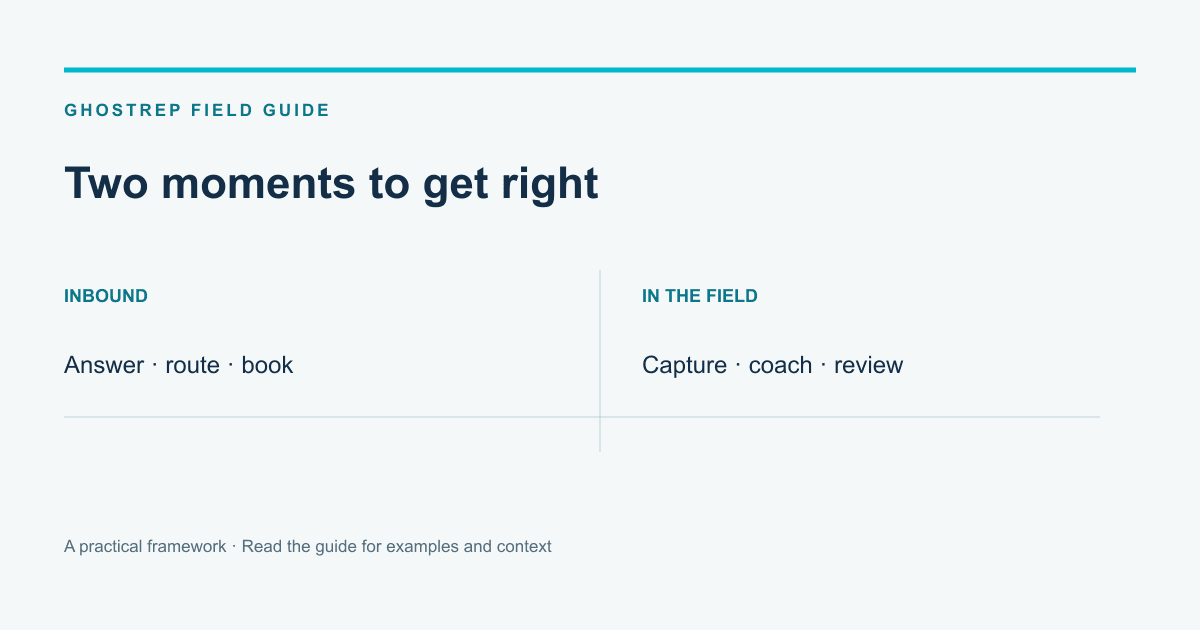
An unanswered inbound call and an unclear explanation during a homeowner appointment are different operating problems. Both can affect a roofing company’s results, but they need different evidence before you choose a tool.
Avoca and GhostRep can appear on the same shortlist because both address conversations and coaching. Compare the workflow you need rather than assuming the products never overlap. This guide uses Avoca’s public documentation for its stated scope and GhostRep’s published product workflow; it is not a report of a completed head-to-head field test.
What Avoca documents
Avoca’s help center includes an AI phone assistant, booking and capacity configuration, Coach rubrics and call review, outbound workflows, speed-to-lead connections and ServiceTitan integration guidance. Those categories cover more than answering an inbound phone call.
Use the documentation as the starting point for a demonstration. Ask which products and configurations are included in the written offer for your team. A category listed in a help center does not establish that your exact handoff or scheduling rules have been configured.
What GhostRep is built around
GhostRep connects recorded field conversations, live AI coaching, manager review and practice. Echo captures the appointment and supports review of the recording and transcript. Live coaching adds support during the conversation. AI Role Play gives the rep another attempt at a specific skill after the review.
The starting point is often a homeowner question the manager wants to understand: how the rep handled a lower quote, whether they clarified the customer’s concern or what remained unresolved at the end of the appointment.
Diagnose the office problem first
Look at a sample of recent inquiries. Was the call answered? Did the customer reach the right person? Was an appointment actually booked with the right service, time and owner? Did the receiving system contain the information the field rep needed?
A high call-answer rate alone does not answer those questions. Review the downstream result. If a booking failed because the service area or capacity rules were wrong, fix those rules before treating it as a sales-coaching problem.
Use the first-15-minutes lead guide to organize the initial handoff. Keep unanswered calls, unqualified inquiries and booked appointments distinct in the record.
Diagnose the field conversation separately
Choose a comparable set of appointments. Listen for the question the homeowner wanted answered and how the rep responded. Was the proposal explanation clear? Did the rep check what the customer was comparing? Was the next step agreed or merely assumed?
An outcome such as “no sale” does not explain the cause. The customer may have needed information the rep did not have, the work may not have fit, or the explanation may need coaching. Use the call scorecard to describe observable behavior rather than guessing from the outcome.
Compare the workflows in a demonstration
| Test | What to verify |
|---|---|
| Inbound inquiry | The supported answer, routing and booking path with your service rules. |
| Field appointment | Recording, speaker context and the supported live-coaching experience. |
| Manager review | How the manager locates the relevant exchange and prepares feedback. |
| Practice | How a coaching point becomes a scenario and another attempt. |
| System handoff | Which fields reach the receiving record, with the right permissions. |
Ask each provider to show the parts you plan to use. Where both offer coaching or analysis, compare the actual user, conversation source, timing and output. A broad label such as “AI coach” is not enough to establish that the workflows are equivalent.
When two tools might make sense
A company may need support for inbound scheduling and a separate field-coaching routine. Before adding both, identify who uses each, where information is recorded and whether the team will duplicate work. Confirm any required integration rather than assuming a shared customer name creates a connection.
Assign a person to review the whole handoff. A phone workflow can perform its task while the field rep still arrives without the right context. The company needs an owner for the complete customer journey, even when several products support it.
Compare the full cost
Use the current written Avoca offer for the products, usage and support being considered. GhostRep’s published prepaid bundles are 25 hours for $200, 100 hours for $600 and 250 hours for $1,000. Include setup and internal review time on both sides.
Do not estimate the benefit by multiplying an unsourced missed-call rate by an assumed average job value. Start with the calls and appointments your company can identify. Separate possible opportunity from completed and collected work.
Run a limited evaluation
Choose the workflow, team and evaluation period before starting. Record the baseline, the costs and the expected handoff. During use, review examples of successful and unsuccessful interactions, including cases where the AI output was late, incomplete or incorrect.
At the end, compare the same types of work. Decide whether the tool solved the original problem and whether the staff can sustain the workflow. The result may justify one product, two products or a process correction before either rollout.
Does Avoca only answer calls?
Its public help center also documents coaching and other workflows. Check the current product scope instead of relying on a simple office-versus-field label.
Does GhostRep replace our booking system?
Evaluate GhostRep for its documented field capture, live coaching, review and practice workflow. Keep booking requirements explicit and verify any connection your team depends on.
What should we bring to a sales conversation?
Bring one concrete situation, the systems involved and the result you need to see. Contact GhostRep with the field-coaching problem and use Avoca’s documentation to prepare questions about its supported workflow.
Compare tools and find fit
Use the comparison, then go deeper
If this article helped narrow the category, use the hub to explore specific workflows and the product pages to understand where GhostRep fits.
All free tools
Browse 131 free tools by workflow instead of trying to infer fit from product-level feature lists.
Browse all tools →Products overview
See how the GhostRep platform connects onboarding, role-play, field support, and coaching.
See all products →ROI calculator
Model the revenue impact of training and coaching improvements before you change platforms.
Use ROI calculator →About the Author
Tim Nussbeck
Founder & CEO of GhostRep
20+ years in roofing and home improvement sales—knocking doors, running teams, and building practical coaching systems. Built GhostRep to give every rep access to the coaching top teams get.
If GhostRep made the shortlist
Start with 25 prepaid hours. No demo call.
GhostRep is $200 for 25 shared hours, $600 for 100, or $1,000 for 250, with no subscription. Pay, create the workspace with the checkout email, add reps and managers, and run the pilot this comparison describes against your own appointments.
- ✓Prepaid hours shared across the team, not per-seat licenses.
- ✓AI role play with homeowner personas, Echo recording and manager review, and AI Sales Coach in one workspace.
- ✓Live cues need organization enablement and a supported app; confirm before buying for that feature.
- ✓Every new bundle has a 14-day money-back guarantee, prorated for hours used.
Start Here
Get started
Choose prepaid hours, complete payment, then set up your workspace.
Get startedAnother way in
How recording, live coaching, manager review and practice connect for a roofing team.
See the roofing workflowYou Might Also Like
Four Rilla alternatives for roofing teams compared on recording, live AI coaching, manager review and price, plus a 14-day pilot and a switching checklist.
Read article →Compare SalesAsk alternatives for roofing by the missing job: practice, field review or CRM work. Include switching cost before choosing a replacement.
Read article →Compare Hyperbound and GhostRep by sales motion, role-play evidence, live coaching, integrations, security questions, and a fair evaluation design.
Read article →