
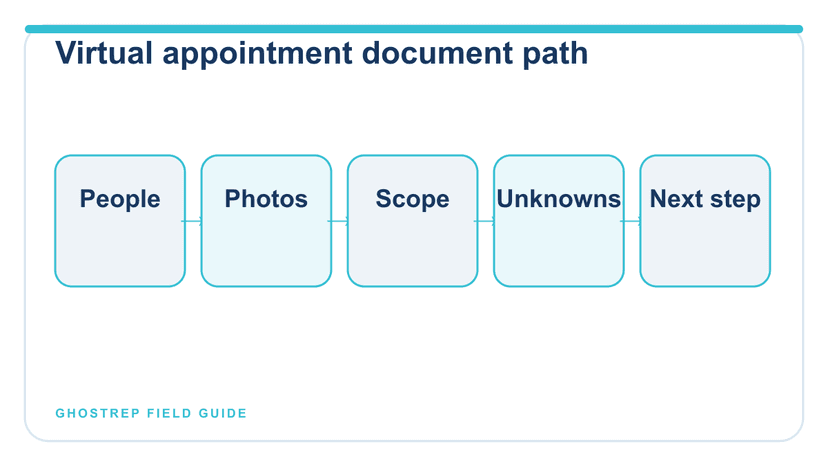
The fastest way to lose a virtual roofing appointment is to share a 42-page PDF, scroll past the customer’s question, and talk for twenty minutes. A useful virtual appointment is a guided document review: confirm who is present, name the decision, open the current photo or scope, label what is still unknown, and record the next step.
Video is a delivery format, not missing fieldwork. It cannot create an inspection, measurement, technical opinion, required property access, or valid agreement process. Use it when the controlling documents exist and every invited customer can review them accessibly.
Next Step
Use the tools that support remote closing conversations
If the appointment is happening virtually, the next assets should strengthen objection handling and what the rep sends between touches.
Decide whether the appointment belongs online
| Situation | Best starting format | Reason |
|---|---|---|
| Review documented photos and written retail scope | Virtual or hybrid | Customer and rep can navigate the same artifacts |
| Customer decision-makers are in different locations | Virtual | Shared document review can include all invited participants |
| Roof condition has not been inspected | Qualified field step first | Video presentation cannot create missing site evidence |
| Complex access, structural, safety, or measurement issue | In-person qualified review | Requires site-specific evidence and authority |
| Simple clarification after proposal delivery | Virtual or phone | Bounded question does not require a repeated field visit |
| Customer cannot access or use the platform | Accessible alternative | Format should not block understanding or participation |
Build the pre-call evidence packet
The rep should open one approved packet before the meeting:
- customer name, property, meeting time and time zone;
- participants and decision roles as stated by the customer;
- customer-stated priorities and unresolved questions;
- inspection artifact, photos, measurements, and limitations;
- controlling estimate or proposal version;
- product, warranty, allowance, exclusion, and schedule sources;
- financing handoff and authority boundaries;
- next-step options the rep may offer; and
- escalation owners.
The pre-call planning checklist produces a blank planning artifact without collecting live customer data. The appointment preparation guide owns the broader post-booking sequence.
Use a six-part virtual appointment sequence
1. Open and verify the meeting
Confirm names, roles, time available, accessibility needs, and what the customer wants to decide. Explain whether the session is recorded and follow the approved notice and consent process. If it is not recorded, do not imply that it is.
2. Recap the verified project context
State the customer’s request, completed work, and known limitations. Ask for corrections before presenting a recommendation.
3. Navigate evidence before conclusions
Screen-share the exact inspection summary, photos, or measurements being discussed. Distinguish observed condition, contractor recommendation, allowance, and unknown. Avoid describing a photo as proof of cause or coverage beyond the qualified record.
4. Navigate the written scope
Show included work, exclusions, allowances, product selections, workmanship and manufacturer references, schedule assumptions, and customer responsibilities. Point to the controlling section rather than summarizing from memory.
5. Diagnose the decision
Ask what remains unclear: scope, product, timing, price, payment path, another decision-maker, or an external insurer/technical question. Route questions outside the rep’s authority.
6. Confirm and record the next step
Review the selected action, owner, due date, controlling document version, and unanswered questions. Send the recap through the approved channel.
A virtual appointment run of show
| Minute | Rep action | Artifact | Evidence captured |
|---|---|---|---|
| 0–3 | Verify participants, goal, time, accessibility, and recording status | Meeting record | Customer wants to compare scope and timing |
| 3–7 | Recap inspection and ask for corrections | Inspection summary v2 | Attic access limitation confirmed |
| 7–14 | Review photos and documented observations | Labeled photo set | Two customer questions parked for inspector |
| 14–23 | Navigate scope, allowance, exclusion, options, and schedule assumptions | Proposal v4 | Customer selects product option B; decking remains allowance |
| 23–27 | Compare decision paths without pressure | Decision summary | Customer requests revised color and financing handoff |
| 27–30 | Read back owners and due dates | CRM next-action record | Rep sends revision by Thursday; finance owner contacts Friday |
Design the screen share for comprehension
- Close unrelated tabs, notifications, customer files, and internal notes.
- Use readable zoom and one controlling document at a time.
- Name the document and version before discussing it.
- Pause after each major section and ask what needs correction or clarification.
- Do not scroll rapidly through a contract while asking for agreement.
- Provide accessible copies the customer can review outside the meeting.
- Never screen-share another customer’s information or internal credentials.
Next Step
Keep the conversation warm after the virtual meeting
Remote deals are won or lost in the follow-up window. Link the guide directly into the message and cadence tools that help reps stay in control.
Control electronic documents and signatures
Use the company’s approved electronic-document workflow. Confirm the correct agreement, parties, disclosures, attachments, version, and delivery. The FTC’s Telemarketing Sales Rule guidance notes that an electronic signature can be valid when recognized under applicable federal or state contract law, but the actual transaction may involve other requirements. A rep should not improvise electronic-consent, cancellation, financing, or contract procedures.
Do not treat a clicked button as proof the customer understood every term. Give the customer time to review, correct errors, ask questions, and receive the completed documents through the approved process.
Post-appointment decision record
What the customer and internal owners receive
Meeting:
Proposal review, Jul. 26, 2 p.m. Central; homeowner and spouse presentControlling documents:
Inspection summary v2; proposal v4; product sheet Jul. 1Corrections:
Customer corrected preferred color; attic area remains uninspectedDecisions:
Product option B selected for revised proposal; no contract decision madeOpen questions:
Inspector to answer ventilation question; finance owner to explain application pathNext actions:
Rep sends v5 Thursday by noon; inspector response Thursday; finance contact FridayRestrictions:
No coverage prediction; decking quantity remains unknown until authorized work
The roofing sales call-notes template owns factual meeting documentation. The follow-up generator can produce a shorter post-conversation message from verified facts.
Train virtual appointment behavior
Practice document navigation, not just objection responses. Give the rep a synthetic packet containing one superseded proposal, one missing fact, one customer correction, and one question outside authority. Score whether the rep selects the controlling document, labels the unknown, protects private information, and records the next action.
Use GhostRep Role Play for conversation practice after managers approve the scenario and rubric. A simulated pass does not authorize contract, technical, financing, insurance, or field decisions.
Measure virtual appointment quality
Track attendance, connection or accessibility failures, controlling-document errors, corrected facts, questions escalated, next actions completed, customer-requested follow-up, and later stage outcomes. Do not measure success by meeting length or screen-share time. A shorter meeting is not better if the customer leaves without the right document.
Frequently asked questions
Can a roofing contract be completed virtually?
Electronic transactions may be possible, but the company must use a reviewed process that satisfies applicable contract, disclosure, signature, cancellation, financing, licensing, and local requirements. The rep should use the approved workflow rather than improvise.
Can video replace a roof inspection?
No. Video can help discuss existing evidence, but it cannot create missing site access, measurements, qualified observations, or safety checks.
Should virtual roofing appointments be recorded?
Only under a company-approved process covering applicable law, notice and consent, purpose, access, retention, deletion, correction, and customer data. Recording is not required for a useful decision record.
Next Step
Move from theory into the exact rep workflow
The reader should leave this page with a practical next step: better objection language, better follow-up, and a cleaner virtual sales process.
Make the screen a shared document table
A strong virtual roofing sales appointment makes evidence easier to inspect and decisions easier to record. Verify the participants and goal, navigate one current document at a time, label unknowns, respect authority boundaries, and end with a written owner and due date.
Free tools for roofing sales training
Turn this article into rep practice
Use the training library to turn ideas into drills, scripts, and coaching reps can actually use in the field.
Training tools
Browse objection, role-play, and scripting tools built for home improvement sales teams.
Browse training tools →All free tools
See the full tools hub across hiring, management, field sales, operations, and marketing.
Browse all tools →Role Play
Turn training concepts into live practice with AI homeowner scenarios that build muscle memory.
See Role Play →About the Author
Tim Nussbeck
Founder & CEO of GhostRep
20+ years in roofing and home improvement sales—knocking doors, running teams, and building practical coaching systems. Built GhostRep to give every rep access to the coaching top teams get.
Training next step
Turn training ideas into drills your reps will actually run
Start with the free training tools if you need scripts, practice reps, or coaching prompts today. Book a walkthrough if you want GhostRep mapped to your onboarding process.
- ✓Best fit if reps need more repetition, not more theory.
- ✓Useful for onboarding, objection practice, and weekly coaching.
- ✓Demo shows how Role Play plugs into your current training process.
Start Here
Browse training tools
Free objection builders, role-play prompts, scripts, and rep-practice templates.
Browse training toolsNeed it mapped to your team?
Talk through your current workflow, traffic mix, and where GhostRep fits before you change anything.
Book a 15-minute walkthroughYou Might Also Like
Use a safe seven-step process to verify, role-play, observe, version, and update a roofing sales script without testing claims on homeowners.
Read article →Learn the roofing sales competencies reps need from first contact through signed contract, with observable behaviors managers can coach and verify.
Read article →Use this 30-day roofing sales follow-up cadence with seven call, text, and email touches, adaptable templates, CRM steps, and clear stop rules.
Read article →