GHOSTREP JOB INTEL
Walk into the next visit
with the story so far.
Connect job context to preparation and follow-up. Help reps ask better questions without treating every appointment like a first meeting.
BEFORE THE NEXT CUSTOMER TOUCH
Walk in with a question worth asking.
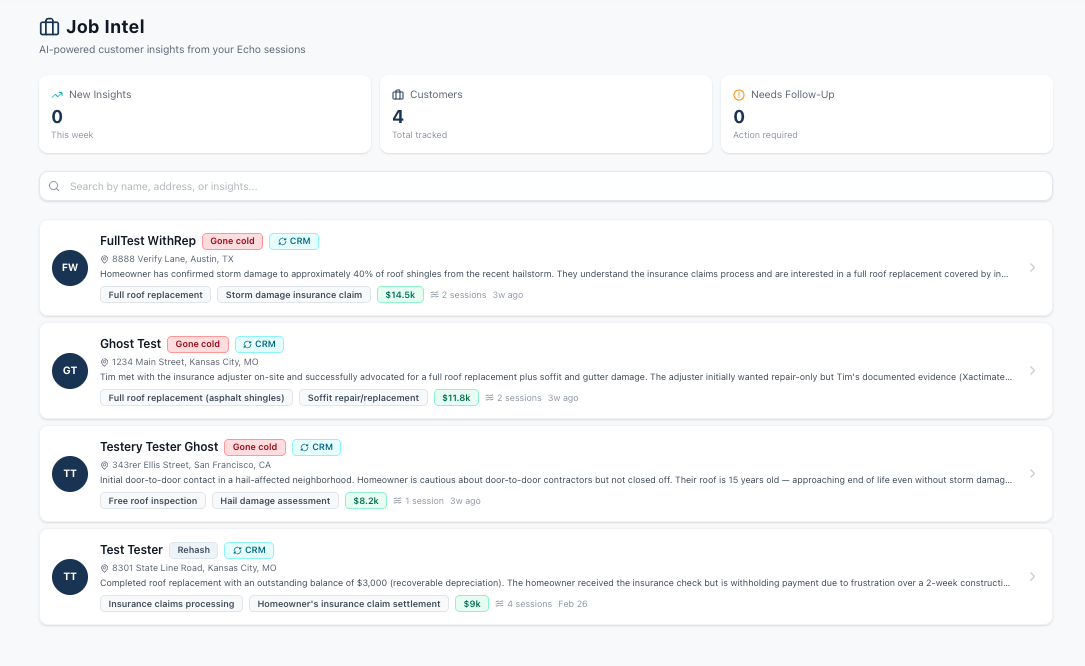
Job Intel brings available job and customer context into preparation. Review the story so far before an appointment or follow-up, then identify what you need to clarify with the customer.
A prior discussion, an unresolved concern, or a change in direction can shape the next conversation. Use that context to prepare a more relevant question and avoid making the homeowner start over.
A FOLLOW-UP WITH CONTEXT
Return to the part of the conversation that still needs an answer.
Review what is available.
Look at the supplied customer and job information. Check the source and timing of details that will shape the next conversation.
Choose the open question.
Identify what the customer still needs to understand or what your team needs to confirm. Give the follow-up a clear purpose.
Prepare the approach.
Use AI Sales Coach to work through the question or explanation, then bring that preparation into the next touch.
FIT THE WORKSPACE TO YOUR TEAM
Keep the context connected to its source.
Your CRM remains the customer record.
Job Intel supports preparation around the information available to your GhostRep workspace. Supported connections, fields, and update behavior depend on your setup.
Talk through the systems your team uses with us. Confirm which context is available, then choose an appointment or follow-up workflow where that information would help the rep prepare.
Discuss your team’s setupTAKE SOMETHING USEFUL WITH YOU
Keep working on the real problem.
BEFORE YOU GET STARTED
A few good questions.
Does Job Intel replace our CRM?
No. Keep the authoritative job, customer, pipeline, and assignment records in the system that owns them.
Does every CRM connect?
Do not assume universal integration. Confirm the currently supported connection, available signals, and workspace setup with our team.
Can we rely on a summary alone?
Check important or time-sensitive facts against the source record. AI summaries can be incomplete or wrong, and available context may not include the latest change.
RESOURCES FOR YOUR TEAM
Keep the next step close.
Keep live customer and job details in approved systems. Use the worksheet to define your handoff process before applying it to a real job.
PUT GHOSTREP TO WORK
Make the next appointment feel like a continuation.
Choose prepaid hours, complete payment, and set up your workspace. No demo call required.