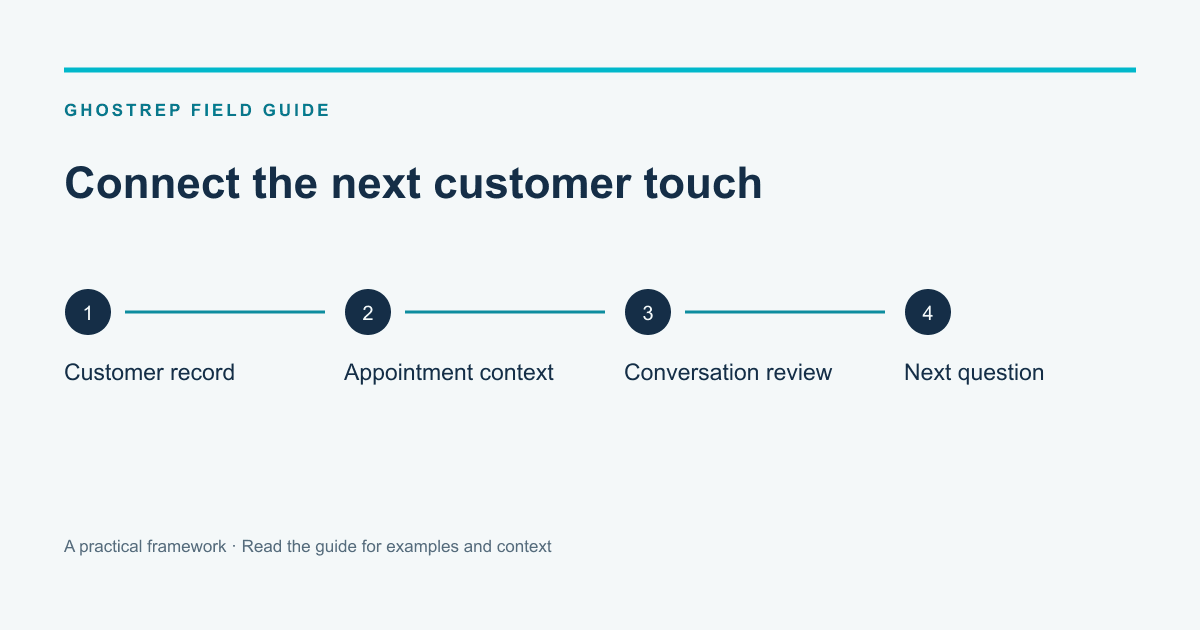
Roofing CRM vs GhostRep: GhostRep is not a roofing CRM. It is the layer that helps a manager turn real sales situations into preparation, live support, follow-up, roleplay, coaching, and better team standards.
The CRM should stay responsible for leads, stages, jobs, estimates, documents, production, invoices, and tasks. GhostRep should sit around the moments where the rep needs context, language, practice, and manager direction.
The practical question is not "CRM or GhostRep?" It is: where should the handoff happen so managers stop chasing status and start improving the next sales conversation? If the gap is manager leverage, start with the AI sales manager. If you are still choosing the operating system itself, start with the best roofing CRM software comparison. If the next question is budget, compare the wallet on GhostRep pricing.
Next Step
Start with the CRM source of record
GhostRep should not replace the roofing CRM. Use the CRM comparison to decide where jobs, stages, estimates, documents, and production workflow should live.
The Product-Layer Question
Most CRM comparisons stop too early.
They ask:
Which system owns the lead and job record?
That is an important question. It is also not the whole management problem.
A roofing sales manager has work that happens before, during, and after the CRM entry:
- preparing a rep before a high-value appointment,
- supporting a rep when the homeowner asks a hard question,
- understanding why a deal stalled after the appointment,
- turning a repeated objection into a drill,
- building a one-on-one around a specific skill gap,
- using a sales huddle to fix a pattern before it spreads.
Those workflows do not belong inside a normal CRM field.
They belong in the sales-development layer around the CRM.
That is where GhostRep fits.
What the CRM Should Own
The CRM should be the operational record. Do not weaken that role.
For a roofing company, the CRM should answer:
- Who owns the lead?
- Where did the lead come from?
- What stage is the job in?
- What estimate, contract, photos, measurements, or documents are attached?
- What task is due and who owns it?
- What is ready for production?
- What has been invoiced, collected, or delayed?
If the CRM cannot answer those questions, fix that first.
GhostRep should not be used as a bandage for missing job discipline. If production does not know what was sold, if invoices are delayed because the file is incomplete, or if managers cannot see open estimates, the company has a CRM process problem.
What GhostRep Should Own
GhostRep should own the improvement loop around the sales conversation.
That means the work after the CRM tells you a deal exists, but before the manager knows what to coach.
GhostRep is useful when the company needs to answer:
- What did the homeowner care about before the rep sent the proposal?
- Which objection did the rep mishandle?
- Did the rep create a next step or leave a vague follow-up?
- What should this rep practice before the next appointment?
- What should the manager cover in the next one-on-one?
- Which customer question should become a sales huddle topic?
- What context should the rep have before calling the homeowner back?
This is not generic "AI in the CRM." It is a product layer with a different job.
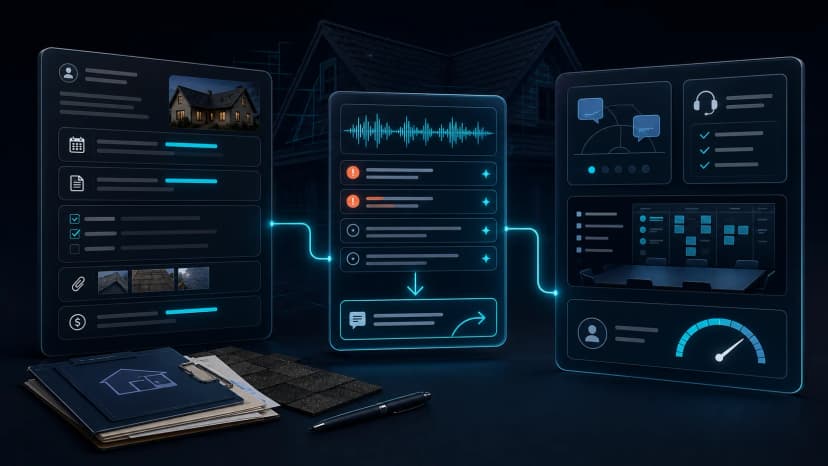
The Handoff Map
The clean handoff looks like this:
| CRM signal | GhostRep workflow | Manager output |
|---|---|---|
| New appointment booked | Use Job Intel to prepare the rep with customer, property, and job context where available. | Rep walks in with a better plan than "see what they say." |
| Rep is heading into a field conversation | Use Echo where live support, captions, or conversation capture are part of the workflow. | Manager gets better visibility into what actually happened, not just the after-the-fact note. |
| Proposal sent but homeowner is hesitating | Turn the appointment pattern into follow-up language and a coaching moment. | Follow-up references the homeowner's real concern instead of a generic check-in. |
| Same objection appears across multiple reps | Use Role Play and Training Studio to build drills around the actual pattern. | Sales huddle becomes practice, not a lecture. |
| One rep keeps losing on price or spouse stalls | Use AI Sales Coach and manager review to define the skill gap. | One-on-one focuses on the specific weak moment. |
| New hire is about to get live leads | Use Role Play and Training Studio before the rep burns real appointments. | Manager sees readiness before territory damage. |
The CRM creates the trigger. GhostRep creates the development work. The manager decides what changes.
A Clean Example: Cheaper Bid Follow-Up
Assume the CRM shows this:
Proposal sent. Homeowner has cheaper bid. Follow up Thursday.
That is a valid record. It is not a coaching plan.
The GhostRep layer should turn the same situation into usable management work:
| Layer | Weak version | Better version |
|---|---|---|
| CRM task | Follow up Thursday | Follow up Thursday about scope difference and production risk |
| Rep prep | "See if they are ready" | Review the cheaper-bid objection before calling |
| Follow-up | "Any questions?" | Reference the exact scope item the homeowner thinks is equal |
| Manager coaching | "You need to close harder" | Practice clarifying scope before defending price |
| Team huddle | Review close rate | Drill the cheaper-bid pattern because it showed up three times this week |
That is the product-layer difference. The CRM keeps the opportunity from disappearing. GhostRep helps the manager improve the next move.
Workflow 1: Before the Appointment
The CRM can show the appointment exists. That is table stakes.
The better question is what the rep knows before walking in.
For example, a rep is going to a retail replacement appointment. The CRM may show:
- lead source,
- appointment time,
- property address,
- basic notes from the setter,
- the rep assigned.
That is useful, but not always enough.
The rep may also need to know:
- whether the homeowner asked about financing,
- whether a spouse or other decision-maker will be present,
- whether storm damage, age, leaks, resale, or curb appeal is the real driver,
- which objections are common for that job type or lead source,
- what to avoid saying if the homeowner already has a competitor bid.
That is where Job Intel and manager preparation matter. The rep does not need a data dump. The rep needs enough context to open intelligently.
Workflow 2: During the Field Conversation
Most CRM data is created after the important moments have already happened.
The homeowner asks:
Why is your price higher than the other quote?
The rep answers.
That answer changes the deal.
The CRM will probably not know whether the rep clarified scope, defended too early, got nervous, skipped financing, attacked the competitor, or failed to connect the price to risk.
Echo belongs here when the company wants better visibility and live support around the field conversation. It captures what happened, supports reps in real time where appropriate, and gives managers better raw material for coaching.
The point is not surveillance. A roofing sales conversation is too important to reduce to "proposal sent" and "follow-up scheduled."
Workflow 3: After the Appointment
This is where most roofing teams lose the plot.
The rep enters:
Homeowner thinking it over. Follow up Friday.
That note might be technically true. It is not manager-useful.
A better post-appointment process asks:
- What was the stated objection?
- What was probably underneath it?
- Was the spouse stall real or a polite no?
- Did the homeowner understand the insurance process?
- Did price pressure come from a cheaper bid, budget anxiety, or unclear scope?
- What did the rep promise to send?
- What should the next message reference?
GhostRep turns that context into follow-up and coaching. The CRM owns the task. GhostRep helps make the task worth doing.
Workflow 4: Manager One-on-Ones
Most one-on-ones are too broad.
The manager says:
You need to follow up better and close harder.
That is a complaint with a meeting invite, not coaching.
A useful one-on-one should be built around a specific pattern:
| Pattern | Manager coaching topic | Practice assignment |
|---|---|---|
| Rep loses control when the homeowner mentions another bid | Clarify scope before defending price | Role Play cheaper-bid scenarios |
| Rep over-explains insurance questions | Shorten the answer, then check understanding | Practice deductible and claim-status questions |
| Rep leaves without the decision-maker present | Set the appointment standard earlier | Drill spouse-stall language |
| Rep sends generic follow-up | Tie follow-up to the customer's stated concern | Rewrite three actual follow-up messages |
| Rep avoids asking for the next step | Practice direct close language | Run end-of-appointment scenarios |
AI Sales Coach and Training Studio should turn field patterns into manager-ready coaching actions, drills, and huddle topics.
Workflow 5: Sales Huddles
The CRM can tell the manager activity is down, proposal volume is up, or close rate changed.
A sales huddle needs more than that.
Good huddles sound like this:
- "Three homeowners asked about deductible confusion this week. Here is the clean answer."
- "Two reps lost control when the spouse was not present. We are practicing that opening today."
- "The new financing objection is not actually about monthly payment. It is about trust in the project scope."
- "Production timeline came up in five appointments. Here is how to explain it without overpromising."
That is where Training Studio belongs. It turns what is happening in the field into training assets managers can actually use.
The CRM supports the huddle with pipeline and outcome data. GhostRep supports it with sales behavior and customer-pattern data.
What Should Flow Between the CRM and GhostRep
Do not overcomplicate this in the first rollout.
Whether the handoff is native, exported, manual, or process-driven, the useful operating objects are simple:
The handoff should stay practical. If the integration plan takes longer to explain than the coaching workflow, simplify it.
When GhostRep Is Not the Next Step
Do not add GhostRep yet if the CRM foundation is still broken.
Fix the CRM first when:
- leads do not have owners,
- jobs are missing photos, documents, or estimates,
- production cannot tell what was sold,
- follow-up tasks are not created,
- reps refuse to update basic records,
- managers do not have a weekly pipeline review.
GhostRep is not a substitute for operational discipline.
It becomes powerful when the CRM is clean enough to show the work, but managers still need help improving the sales behavior around that work.
A Practical Rollout
Start narrow.
Do not try to rebuild the entire sales organization in week one.
- Pick one visible leak. Examples: proposal follow-up, price objection, spouse stalls, insurance explanation, or new-rep readiness.
- Choose the CRM trigger. Examples: proposal sent, appointment completed, deal stalled, lead source, or rep tenure.
- Define the GhostRep workflow. Job Intel prep, Echo capture, Role Play practice, Training Studio huddle, or AI Sales Coach one-on-one.
- Name the manager output. Better follow-up, specific drill, huddle agenda, rep coaching plan, or readiness standard.
- Review weekly. Keep what changes behavior. Drop what creates noise.
That is the difference between adding another tool and building a better sales operating rhythm.
Next Step
Use CRM context for the next coaching action
When the CRM tells managers where deals sit, the next layer is practice, coaching, and customer-specific prep before the rep follows up.
Frequently Asked Questions
Does GhostRep replace a roofing CRM?
No. The CRM remains the system for leads, stages, jobs, estimates, documents, production, invoices, and tasks. GhostRep fits around appointment prep, live conversation support, roleplay, follow-up context, manager coaching, and training content.
Which CRM works best with GhostRep?
The best CRM is the one your team actually uses with clean stages, owners, notes, appointment data, and outcomes. JobNimbus, AccuLynx, ServiceTitan, Exterio, and HubSpot can all work depending on the operating model. GhostRep becomes more useful when CRM data is disciplined enough to trigger coaching workflows.
What problem does GhostRep solve that a CRM does not?
GhostRep helps managers improve sales moments around the job: price pressure, spouse stalls, insurance questions, competitor bids, unclear follow-up, weak closing language, and rep-specific skill gaps. A CRM may show that a deal stalled. GhostRep helps decide what the rep should practice next.
Should I fix CRM adoption before adding GhostRep?
Yes, if adoption is genuinely broken. If reps are not assigning leads, adding notes, attaching files, or creating tasks, fix the foundation. If managers can see the pipeline but still cannot improve the conversations causing losses, GhostRep is the next layer to evaluate.
How does GhostRep help with manager one-on-ones?
It gives the manager specific coaching material. Instead of saying "follow up better," the manager can focus on a pattern: over-defending price, avoiding direct next steps, mishandling deductible questions, or losing control when a spouse is missing. That turns the one-on-one into a practice plan.
How does GhostRep help sales huddles?
Training Studio can turn repeated field patterns into huddle topics, drills, roleplays, and team standards. A useful huddle does not just review CRM activity. It makes the team better at the conversations showing up across the market.
Where does Echo fit compared with the CRM?
The CRM records the appointment and job status. Echo supports the live or captured field conversation where the homeowner's actual questions, objections, and concerns appear. That gives managers better material than a thin after-the-fact note.
Where should I go next?
If you are still choosing the operating system, read Best Roofing CRM Software: 5 Contractor CRMs Compared. If your CRM is already visible but training is the bigger problem, read Roofing CRM vs AI Training Platform. If you are ready to price the manager layer, review GhostRep pricing. For the category thesis, read What Is a Roofing CRM in the AI Era?.
Roofing CRM and software cluster
Keep the CRM decision tied to sales execution
Use the CRM articles as a decision set: choose the right source of record, then separate workflow problems from rep-development problems.
Best roofing CRM software
Compare JobNimbus, AccuLynx, ServiceTitan, Exterio, and HubSpot by operating model.
Compare CRM options →AI-era CRM guide
See why the CRM still stores the job, while the sales layer has to learn from conversations.
Read the guide →CRM vs AI training
Separate operational visibility from the practice and manager coaching that improves close rate.
Compare the systems →About the Author
Tim Nussbeck
Founder & CEO of GhostRep
20+ years in roofing and home improvement sales—knocking doors, running teams, and building practical coaching systems. Built GhostRep to give every rep access to the coaching top teams get.
CRM stack next step
Separate the source of record from the sales-development layer
Use the CRM content to choose the operating system for leads and jobs. Use GhostRep when the visible pipeline still does not explain rep behavior, objections, follow-up quality, or coaching needs.
- ✓Best fit if you are deciding whether the issue is workflow or rep execution.
- ✓Useful for comparing CRM visibility against conversation-level coaching.
- ✓Demo shows how GhostRep sits around the CRM instead of replacing it.
Start Here
Compare CRM vs AI training
Read the side-by-side breakdown before treating every close-rate problem as a CRM problem.
Compare CRM vs AI trainingNeed it mapped to your team?
Talk through your current workflow, traffic mix, and where GhostRep fits before you change anything.
Book a 15-minute walkthroughYou Might Also Like
An AI CRM for roofing should do more than store jobs. See what CRMs track, what they miss, and how conversation intelligence improves follow-up.
Read article →Compare roofing CRM software and AI training platforms by the job they actually do: workflow visibility versus rep development.
Read article →Compare JobNimbus, AccuLynx, ServiceTitan, Roofr, Leap, Jobber, Exterio, and HubSpot by workflow, pricing, integrations, and data exit.
Read article →